Step by step
Tutorials
Short, practical, shareable guides to get things done with Odatix.
These are hands-on, copy-paste walkthroughs — complete enough to follow start to finish, short enough to finish in one sitting.
Each one is the practical half of a feature: read the feature page for what it is and when to use it, follow the tutorial to actually run it, and keep the configuration reference open for every key you may want to change.
All run commands are daemon-driven. To detach, re-attach, list and stop sessions, see Job Monitor & sessions.
Run the built-in examples
The fastest way to see Odatix work is to run its bundled examples — no design of your own required. They can be followed in order, or not.

RTL Analysis
Elaborate the built-in example configurations before synthesis, and inspect the result in Odatix Explorer.
Follow the tutorial
Parallel Simulations
Validate and benchmark every configuration of an example design in parallel, using a simulator such as Verilator or GHDL.
Follow the tutorial
Custom-Frequency Synthesis
Synthesize an example design at the specific clock frequencies you choose, to study frequency, area and power trade-offs.
Follow the tutorial
Parallel Fmax Synthesis
Run a parallel maximum-frequency synthesis on the built-in example designs, using the EDA tool of your choice.
Follow the tutorial
Place & Route a Synthesized Design
Chain two EDA tools: synthesize with one, then place & route the resulting netlist with another, and compare estimates against post-route reality.
Follow the tutorial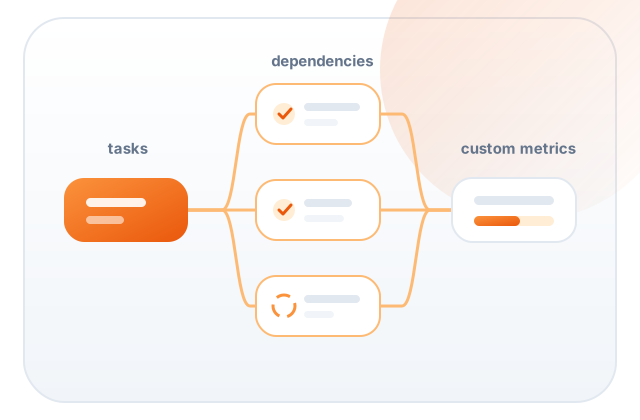
Run a Workflow
Run the built-in task-pipeline examples, sweep them across parameters, extract custom metrics and chart the result.
Follow the tutorialUse Odatix with your own project
Once the examples run, bring in the design, testbench or script you already have.

Implement your own RTL architectures
Add an existing RTL design, configurations and a target to an Odatix workspace.
Follow the tutorial
Simulate your own RTL architectures
Connect your own testbench to an Odatix design, run it across every configuration, and export what it measures as metrics.
Follow the tutorial
Create your own workflow
Turn a script you already have into parallel, monitored, parameter-swept jobs with exported metrics.
Follow the tutorialYour own tools and scripts
A tool is a directory with a tool.yml, and a flow is one way of running it —
both are things you can add yourself.

Add your own flows
Add a way of your own to run a tool Odatix already ships — with the GUI or with a ten-line YAML file — and compare it against the standard one.
Follow the tutorial
Add unsupported tools
Wrap any synthesis script or EDA tool into Odatix in a few files, and get parallel runs, targets, metrics and charts for free.
Follow the tutorial
Add targets
Add targets (FPGA circuit or ASIC technology) that Odatix can use to run your flows on.
Follow the tutorial