Getting Started
This page gives you the mental model behind Odatix and explains the core concepts and associated terminology.
For guided, copy-paste walkthroughs, see the tutorials.
Table of Contents
The core concepts
Everything in Odatix is built from a few key ideas.
Workflow
A workflow is a Makefile-like task execution graph. It lives in odatix_userconfig/workflows/<name>/, described by a _settings.yml that lets you define the tasks, their dependencies, and the commands to run. See Workflows for details. They do not have to be tied to a design, and can be used for any kind of task automation.
RTL Architecture
An architecture is an HDL (or generated) design. It lives in odatix_userconfig/architectures/<name>/, described by a _settings.yml that points to your sources, the top-level file and module, the clock/reset signals, and the delimiters that mark the parameter section of the top level. Parametrizable design configurations can be explored with odatix.
Design Configuration
A configuration is one concrete instantiation of a design — a specific set of parameter values. You describe each configuration with a small parameter file, or you let Odatix generate them automatically. See Configurations. The impact of different parameters can be studied by grouping parameters into a parameter domain.
Target
A target is where a configuration is implemented — an FPGA device or an ASIC technology. Targets are listed in the per-tool target_*.yml files, and a single run implements every selected configuration on every selected target.
Job
A job is the unit of work: implement (or simulate) one configuration on one target. Odatix schedules jobs in parallel through a background daemon and shows their progress in the Job Monitor.
The typical loop
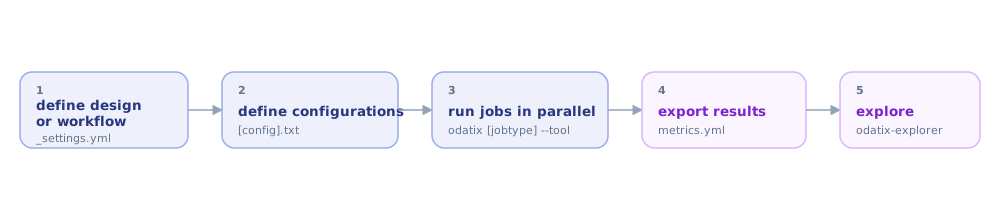
In commands:
odatix-gui                # start the GUI where you can define workflows, design architectures, configurations, and targets
odatix fmax --tool vivado # find Fmax for every configuration/target, in parallel (can also be done from odatix-gui)
odatix-explorer           # open the interactive results dashboard (can also be done from the odatix-gui)